

Free punch list template
Walk through the finished job, list everything that still needs fixing, and tick items off as they’re done. Download it for Word, Excel or PDF, or make one online from ready-made checklists.
Punch list template
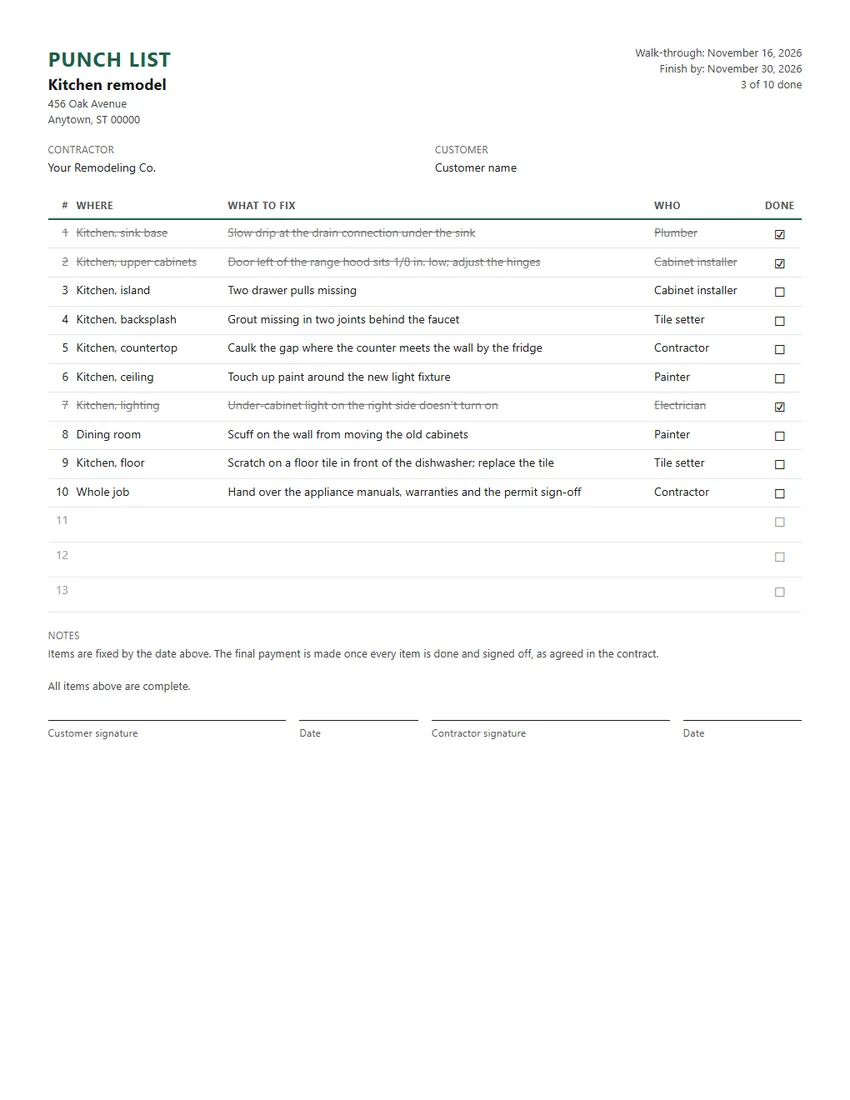
Filled in with an example: the final walk-through of a kitchen remodel, with 10 items and 3 of them already done. Change the details to your own.
- Download Word .docx, 11 KB
- Download Excel .xlsx, 9 KB
- Download PDF .pdf, 61 KB
Make one online and save it as a PDF; nothing leaves your browser
Make a punch list online
Preview
Punch list
Job
Contractor
Customer
| # | Where | What to fix | Who | Done |
|---|---|---|---|---|
| Add the items to fix | ||||
Notes
Items are fixed by the date above. The final payment is made once every item is done and signed off, as agreed in the contract.
All items above are complete.
How to do a final walk-through
- Book it when the contractor says the work is finished, before the final payment.
- Go in daylight, with the contract, any change orders, a phone for photos and painter’s tape to mark spots.
- Go room by room. Look at walls and ceilings from an angle, open every door, drawer and window, run every tap and flip every switch.
- Write each item so anyone can find it: where it is, what’s wrong and what fixed looks like.
- Agree who fixes each item and by when, and both keep a copy.
- Walk through again when the contractor says it’s done, tick items off and sign the list.
The checklists in the maker above are our own suggestions of what to look at, not an inspection. Delete what doesn’t apply and add anything else you notice.
Punch lists and the final payment
It’s common to make the final payment once the punch list is complete. Agree that in the contract before the job starts, including how much is held back. Don’t hold back more than the contract allows, and pay promptly once the items are done.
If the walk-through turns up something new that wasn’t in the contract, put it on a change order with its own price rather than on the punch list.
Common questions
What is a punch list?
A list of the small things still to fix or finish at the end of a job: paint touch-ups, scratches, doors that rub, missing parts, things that don’t work yet. The main work is done; the punch list covers the details before the final payment.
Who makes the punch list?
Usually the homeowner and the contractor together, at a final walk-through. Many contractors walk the job on their own first and fix what they find, which keeps the list short.
What belongs on a punch list, and what doesn’t?
Work in the contract that’s unfinished, damaged or not working: touch-ups, adjustments, leaks, missing hardware and cleanup. Something new that wasn’t in the contract belongs on a change order instead, with its own price.
How long should punch list items take?
Agree a finish date on the list itself. Small items like these usually take days rather than weeks, but anything waiting on parts, such as a replacement cabinet door, can take longer; note that next to the item.
Is my list saved?
Yes, in your own browser on this device, so you can come back and tick items off as they’re done. Nothing you type is sent to us or stored on a server.
Related
- Kitchen remodel checklist and bathroom remodel checklist, from planning to the walk-through
- Kitchen remodel cost calculator
- Bathroom remodel cost calculator
- Invoice maker for contractors billing the final payment