

Free change order template
Write up extra work, a credit or a substitution before it’s done, with the new contract price and a place for both signatures. Download it for Word, Excel or PDF, or fill it in online and print it.
Change order template
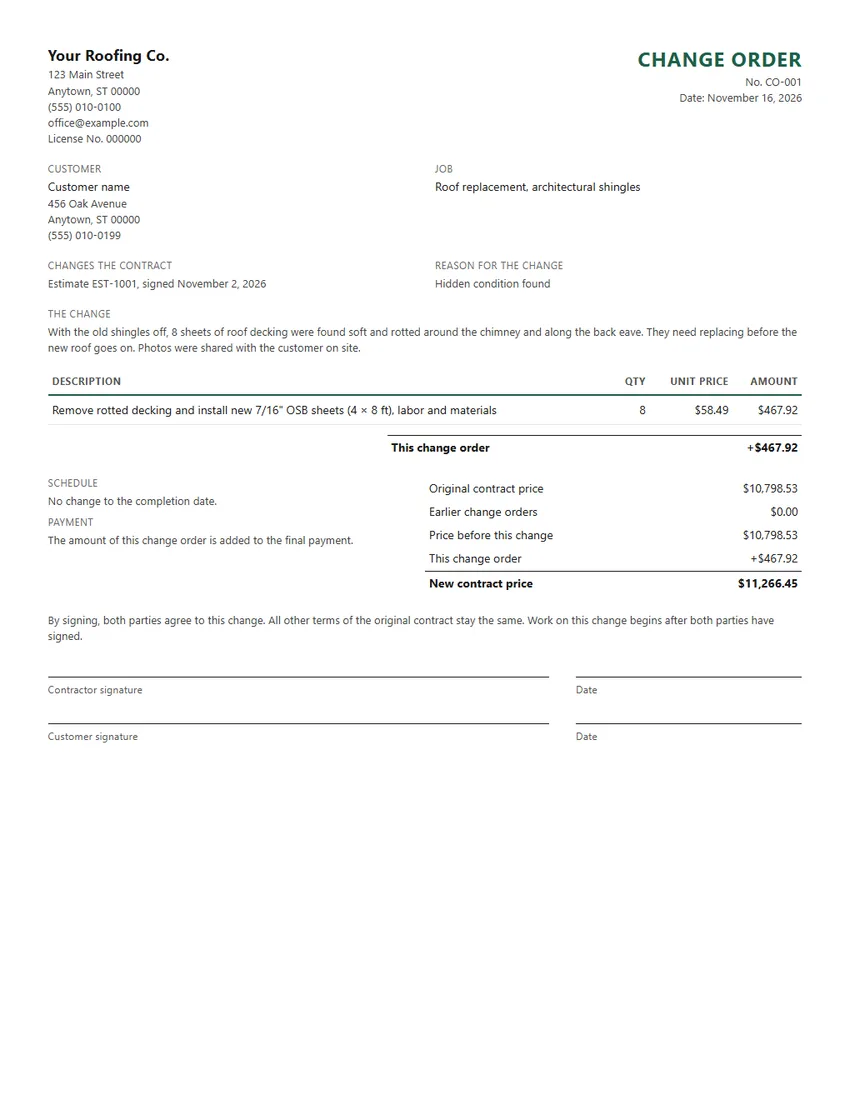
Filled in with an example: 8 sheets of rotted roof decking found during a roof replacement, adding $467.92 to a $10,798.53 contract. Change the details to your own.
- Download Word .docx, 11 KB
- Download Excel .xlsx, 8 KB
- Download PDF .pdf, 47 KB
Fill it in online and save it as a PDF; nothing leaves your browser
Fill in a change order online
Preview
Your business name
Customer
Job
Changes the contract
Reason for the change
Customer request
| Description | Qty | Unit price | Amount |
|---|---|---|---|
| Add the work being added or taken out | |||
| This change order | $0.00 |
Schedule
No change to the completion date.
Payment
The amount of this change order is added to the final payment.
| Original contract price | $0.00 |
| Earlier change orders | $0.00 |
| Price before this change | $0.00 |
| This change order | $0.00 |
| New contract price | $0.00 |
By signing, both parties agree to this change. All other terms of the original contract stay the same. Work on this change begins after both parties have signed.
When you need a change order
- The customer asks for something extra or different: an upgrade, another room, a different material.
- You find something nobody could see when the job was priced, such as rotted wood, old wiring or a buried pipe.
- An inspector or the building code requires work that wasn’t in the contract.
- Work is taken out of the job. That’s a change order too, with a credit.
Write it up and get it signed before doing the work. A change agreed by phone or on site is easy to remember differently a month later, and some states require changes to home improvement contracts to be in writing. Check with your state’s contractor licensing board.
What to put on a change order
- A number and the date (CO-001, CO-002 and so on), so changes can be tracked in order.
- The contract it changes: the estimate or contract number and the date it was signed.
- What’s changing and why, in plain words. Photos help when it’s a hidden problem.
- The price of the change, line by line, priced like the original job.
- The contract price before and after, so the customer sees the new total.
- Any change to the schedule, and when the change will be paid.
- Signatures and dates from both of you.
The example uses national average prices from our roof replacement cost calculator, with the contractor’s overhead and profit built in: $58.49 a sheet for the decking and the labor to replace it. It’s a realistic starting point, not your price.
Common questions
What is a change order?
A written, signed agreement to change the work in a contract after it’s been signed: adding work, taking work out, or swapping one material for another. It records what changes, what it costs and how it affects the schedule, so the final invoice holds no surprises.
Who signs a change order?
Both the contractor and the customer, before the changed work starts. Each keeps a signed copy with the original contract.
How do I show a credit for work taken out?
Enter that line with a negative unit price. It shows as a credit, the change order total goes below zero, and the new contract price drops by that amount.
How should I price a change order?
The same way as the original job: materials, labor, and your overhead and profit. Small changes still take time to plan, buy for and fit into the schedule, so some contractors set a minimum charge for a change order and say so in their contract.
What if the customer won’t sign?
Don’t start the changed work until it’s agreed in writing. If the job can’t go ahead without it, for example because an inspector requires it, talk through the options and put them in writing.
Is my information saved?
Only in your own browser, so your business details are filled in next time on the same device. Nothing you type is sent to us or stored on a server.
More free job paperwork
- Estimate and quote maker for pricing the job in the first place
- Invoice maker, listing approved changes as their own lines
- Punch list template for the final walk-through
- Roofing estimate template, the job this example changes